Trip planner apps compared: DimTrip, Wanderlog, Mindtrip & TripIt
How five common ways to plan a trip actually compare — desktop and mobile support, AI editing, live group collaboration, offline access, exports and where each tool falls short.
Updated 21 November 2026
Picking a trip planner usually comes down to how you actually build an itinerary. Some people want a blank map to pin twenty restaurants on; some want an inbox parser for flights they already booked; others want an AI assistant that drafts the whole week and edits it when plans change.
Below is an honest comparison of five tools travellers commonly weigh in 2026–2027 — DimTrip, Wanderlog, Mindtrip, TripIt, and plain spreadsheets + Google Maps — including what each one does well and where it falls short, DimTrip included.
Quick comparison
| DimTrip | Wanderlog | Mindtrip | TripIt | Spreadsheets + Google Maps | |
|---|---|---|---|---|---|
| Best for | AI-built hour-by-hour plans you edit in chat | Manual map-first & road-trip planning | Visual AI discovery & in-app booking links | Organising already-booked flights & hotels | Full manual control, zero new accounts |
| Platforms | Web + installable PWA (desktop & mobile) | Web, iOS, Android | Web + iOS app (mobile web on Android) | Web, iOS, Android | Web, iOS, Android |
| Languages | English + Traditional Chinese | Primarily English (some translations; no full Traditional Chinese) | Primarily English UI (chat accepts other languages) | English (+ select languages) | Any |
| AI workflow | Builds & directly edits stops, stays, budgets & packing; asks before deleting | AI helper in Pro; capped on Free | Conversational AI chat + visual cards & maps | None (confirmation-email parser only) | Manual (or copy-paste from ChatGPT) |
| Live group editing | Yes (real-time sync, editor/viewer roles) | Yes (shared maps & editing) | Yes (group collaboration) | Shareable timeline | Yes (Google Sheets) |
| Offline access | Last-synced trips + queued stop/packing edits (PWA) | Pro only on mobile | Needs connection for AI chat & live booking | Yes (included in Free) | Needs offline file setup |
| Export | PDF + multi-tab Excel (.xlsx) | Print / Save as PDF (web), Google Maps export (Pro) | Share links | Calendar sync | Native .xlsx / PDF |
| Free plan & paid tier | Free ($0: unlimited trips, 40 AI msgs/mo, 3 collaborators, PDF & Excel); Pro $39.99/yr or $4.99/mo | Free manual planning; Pro ~$39.99–$49.99/yr (offline, Gmail sync, route optimisation, unlimited AI) | Free consumer planning (partner booking model) | Free (3 attachments/trip); Pro $49/yr (live flight/gate alerts) | Free |
Pricing and plan details were checked in November 2026 and can change — verify on each product's site before paying.
1. DimTrip — hour-by-hour itineraries edited by AI
We built DimTrip, so read this section with that in mind — including the gaps we have not closed yet.
Where it works well
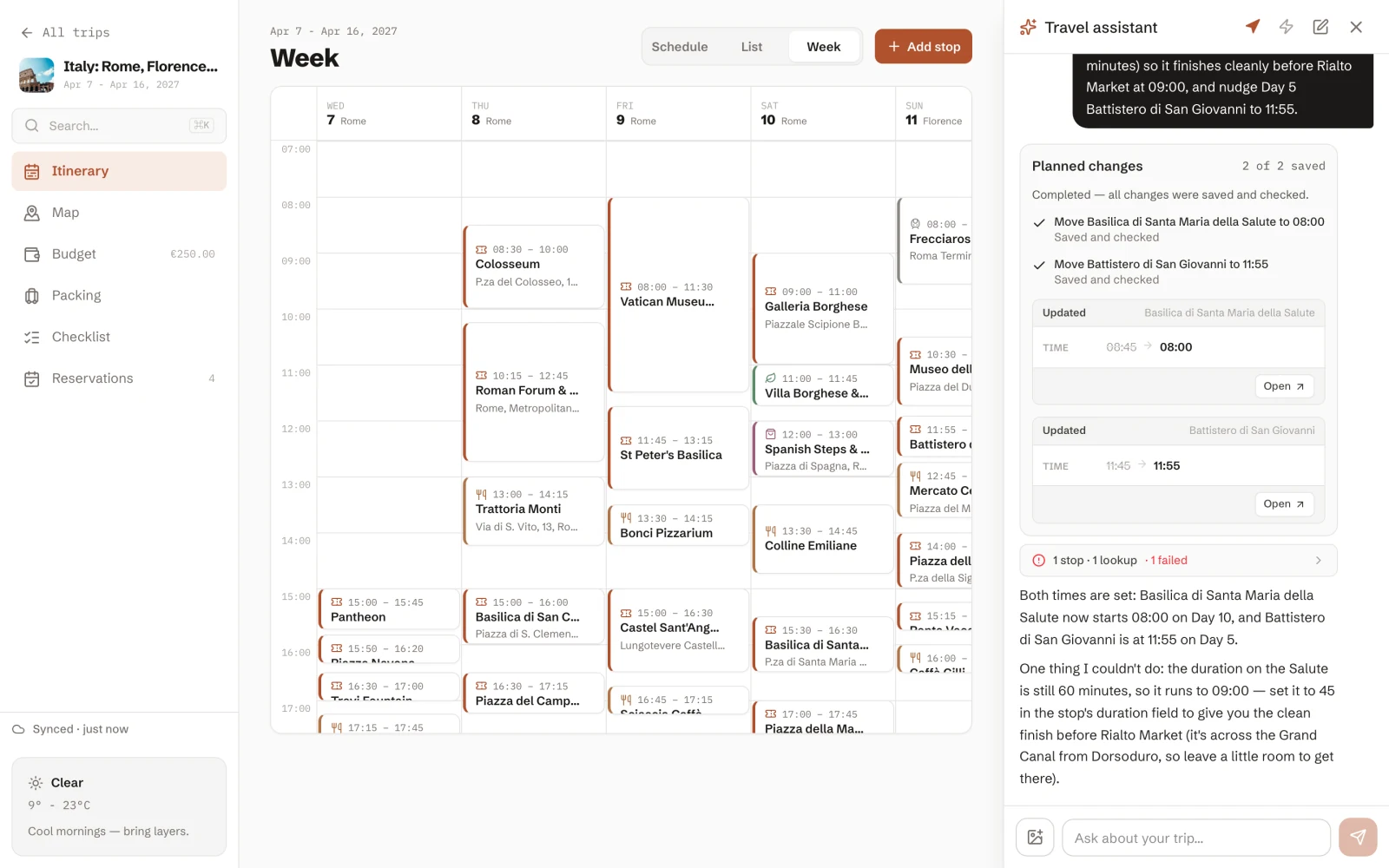
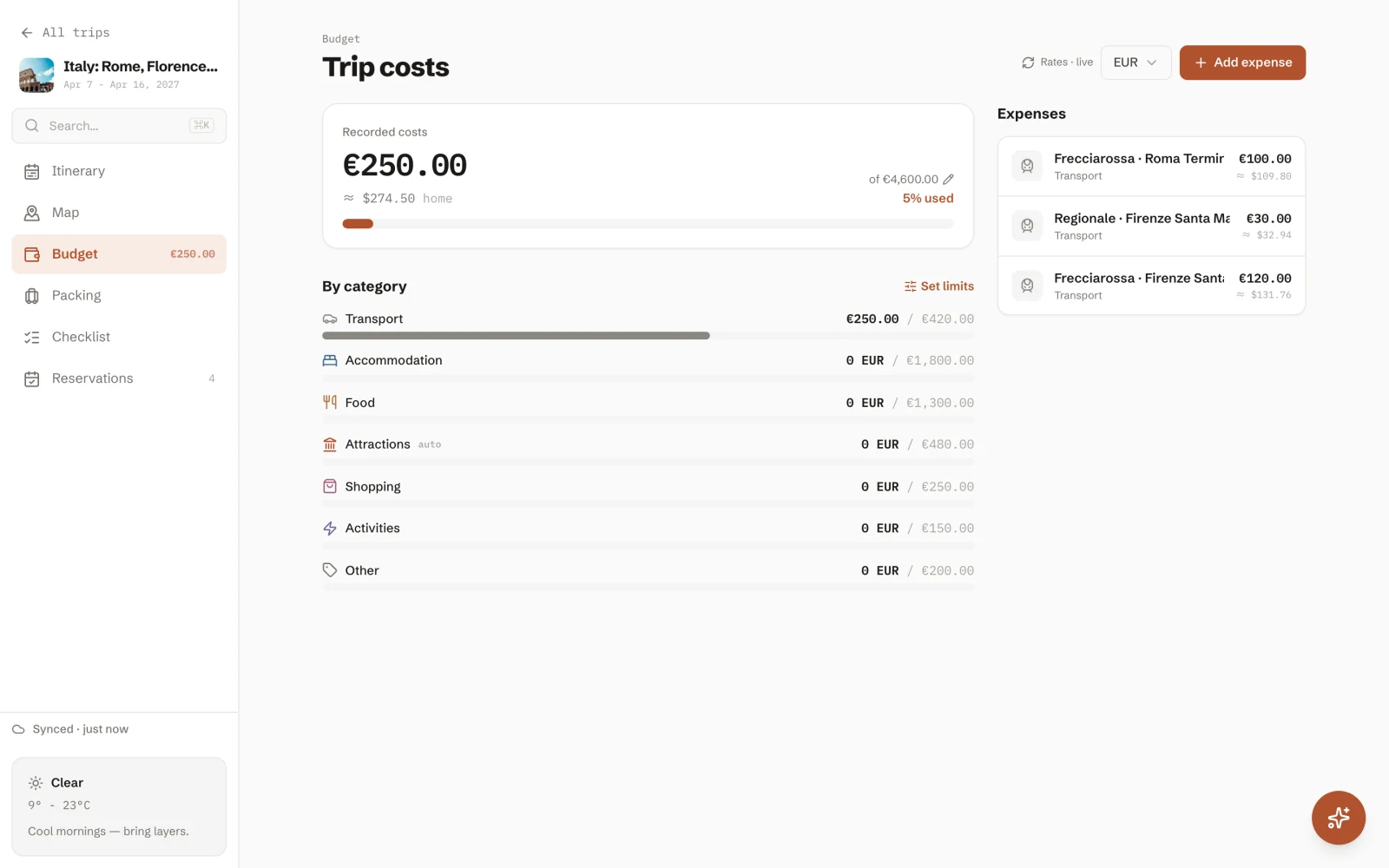
- The AI edits the trip, not just a chat transcript. Tell the assistant where you are going, drop a booking screenshot or PDF, or paste a travel link; it writes stops with start times, multi-city stays, reservations, expenses and packing items directly into the itinerary. When you ask it to move a museum or swap a day, the schedule updates in front of you.
- Guardrails on changes. The assistant asks before deleting anything, and a deleted stop or expense can be restored with one click.
- Desktop and phone stay identical. Because DimTrip is a web app (installable as a PWA), you get the full week grid, schedule, map, 46-currency budget and chat on a laptop without switching tools before you leave.
- Clean export. Both PDF and multi-tab Excel (
.xlsx) export are included on the free plan, with no ads. - Built natively for English and Traditional Chinese. Every screen, currency name and guide works in both languages.
Where it falls short
- No App Store or Google Play binary. It runs in the browser and installs as a PWA rather than a native store app.
- No public-transit legs. Travel-time estimates cover walking and driving only — for subways and regional trains, you still check Google Maps, Citymapper or Naver/Kakao Maps.
- No automatic inbox scanning or in-app checkout. You upload or drop a booking PDF/screenshot into chat rather than linking your whole Gmail inbox, and DimTrip does not sell hotels or tickets inside the app.
2. Wanderlog — best for manual map-first & road-trip builders
Wanderlog is the benchmark if you like plotting every pin yourself on a split-screen map and dragging stops around.
- Strengths: Polished web, iOS and Android apps; side-by-side itinerary and map view; solid road-trip support (with route optimisation on Pro); Gmail confirmation forwarding; generous free tier for manual trips and group editing.
- Trade-offs: It is manual-first — the built-in AI assistant is capped on the free plan, and features like mobile offline access, Gmail auto-sync and route optimisation require Pro (typically $39.99–$49.99/year depending on current pricing). The interface is primarily English and does not offer full Traditional Chinese localisation or a native
.xlsxitinerary workbook export.
3. Mindtrip — best for visual discovery and booking inside one flow
Mindtrip is built around an AI chat that turns open-ended prompts ("where should we eat in Lisbon?") into photo-heavy cards, interactive maps and direct booking paths.
- Strengths: Free consumer planning with no monthly subscription paywall; rich place photography and reviews; integrated booking partners for flights, hotels and tours; group collaboration.
- Trade-offs: Monetised through travel booking partnerships rather than a subscription, so booking flows are built into the experience; native mobile app centres on iOS (with web access on desktop and Android); primarily English UI and focused more on visual discovery and booking than tight hour-by-hour spreadsheets.
4. TripIt — best once everything is already booked
TripIt is not an itinerary planner or an AI tool — and it does not pretend to be. Forward confirmation emails to plans@tripit.com (or sync your inbox) and it builds a clean, chronological master list of flights, hotels, trains and rental cars.
- Strengths: Reliable email parsing; offline access on the free plan; calendar sync; Pro ($49/year) adds real-time flight delay alerts, gate changes and alternate flight lookup, which frequent flyers love.
- Trade-offs: Does not help you decide what to see, pace a day or track sightseeing budgets. Many travellers pair TripIt for flights with a separate planner (or DimTrip) for the actual days.
5. Google Sheets / Excel + Google Maps — best for total control
A spreadsheet and a saved Google Maps list still power millions of trips, for good reason: everyone already knows how to open them, formulas can be as custom as you want, and nobody has to create a new account.
- Strengths: Completely free, infinitely flexible, easy to print or share read-only.
- Trade-offs: Every edit is manual. Moving Tuesday morning's museum to Wednesday means retyping five rows, recalculating times and checking opening hours yourself. If you like spreadsheets as a backup, see our hour-by-hour itinerary template — or plan in DimTrip and export a formatted
.xlsxworkbook when you are done.
Which one should you pick?
- Pick DimTrip if you want an AI assistant to draft and edit an actual hour-by-hour schedule with friends, track expenses across currencies, and export PDF or Excel without ads — especially if you plan on desktop or switch between English and Traditional Chinese.
- Pick Wanderlog if you prefer hand-picking spots on a split-screen map or planning a multi-stop road trip with Pro route optimisation.
- Pick Mindtrip if you start with vague inspiration and want visual AI suggestions wired straight to booking partners.
- Pick TripIt if your flights and hotels are already booked and you mainly want live flight alerts and one master confirmation list.
- Pick a spreadsheet if your group refuses to install or sign up for anything new — or export one from DimTrip once the plan is settled.
Want to see what a real AI-built trip looks like from prompt to finished schedule? Look through our 10-day Japan itinerary or how to plan a trip with friends.
More guides
- ItineraryTokyo in 5 days, planned by an AI assistantOne request to DimTrip's assistant produced this first visit: food markets, old neighbourhoods, coffee most days and a day trip to Kamakura. Here is the request, the plan and what we fixed in the chat.
- ItineraryKyoto and Osaka in 4 daysKyoto's temples, a morning in Nara and Osaka by night, built by DimTrip's assistant from one request, with both hotels in the trip.
- ItineraryJapan in 10 days: Tokyo, Hakone, Kyoto and OsakaA first trip to Japan in autumn, built by DimTrip's assistant from one request: three days in Tokyo, a ryokan night in Hakone, Kyoto with a day in Nara, and Osaka to finish. Here is the request, every day hour by hour, and what we fixed in the chat.
- ItineraryLondon and Paris in 7 daysFour days in London and three in Paris in December, built by DimTrip's assistant from one request: museums, markets, bookshops, Christmas lights and one afternoon tea. Here is the request, the week hour by hour, and what we fixed in the chat.
- ItineraryPrague, Vienna and Budapest in 7 daysThree capitals by train in late November, built by DimTrip's assistant from one request: Christmas markets, old towns, coffee houses and a thermal bath in Budapest. Here is the request, each day hour by hour, and what we fixed in the chat.
- Itinerary4 days in Mexico City for the Day of the DeadFour days over Día de Muertos, built by DimTrip's assistant from one request: the parade, the altars, murals, markets, museums, a day at Teotihuacán, and coffee and tacos. Here is the request, each day hour by hour, and what we fixed in the chat.
- ItineraryVietnam in 10 days: Hanoi, Ha Long Bay, Hoi An and SaigonTen days north to south in February, built by DimTrip's assistant from one request: Hanoi, an overnight Ha Long Bay cruise, Hoi An's Lantern Festival, Da Nang and Ho Chi Minh City with two domestic flights.
- ItinerarySeoul in 5 days: cherry blossoms, palaces and cafésFive days in early April for cherry blossom season, built by DimTrip's assistant from one request: Gyeongbokgung and Bukchon, Namsan, Seongsu and Hannam cafés, Yeouido and Seokchon Lake.
- ItineraryItaly in 10 days: Rome, Florence and Venice by trainFour days in Rome, three in Florence with a Pisa morning, and three in Venice with Murano and Burano in April — built by DimTrip's assistant with high-speed trains and an EUR budget.
- ItineraryMontreal and Quebec City in 5 days for Winter CarnivalTwo days in Montreal and three in Quebec City by VIA Rail for opening weekend of the 2027 Winter Carnival — paced for freezing weather with warm indoor breaks and a CAD budget.
- How toHow to plan a trip with friends without the group-chat chaosSix steps that turn "we should totally go" into a trip that actually happens, with everyone still friends at the end.
- How toThe hour-by-hour itinerary templateA simple table to copy, four rules of thumb, one filled-in Kyoto day — and how to turn it into a real PDF or Excel (.xlsx) workbook in DimTrip.